1.1 What is RZR
RZR (Repo Zip Reader) is an open source mobile app to browse and read GitHub, GitLab and Bitbucket repositories. Instead of cloning a repository with Git, you open its .zip archive in a read-only code editor and markdown viewer. The common use cases include:
- Studying open-source projects on the go
- Reviewing code during travel or commutes
- Quickly checking repos shared as zip downloads
- Learning from famous projects without setting up git
No cloning or Git setup is needed: after a repository is imported, its files can be read offline.
1.2 Basic Usage
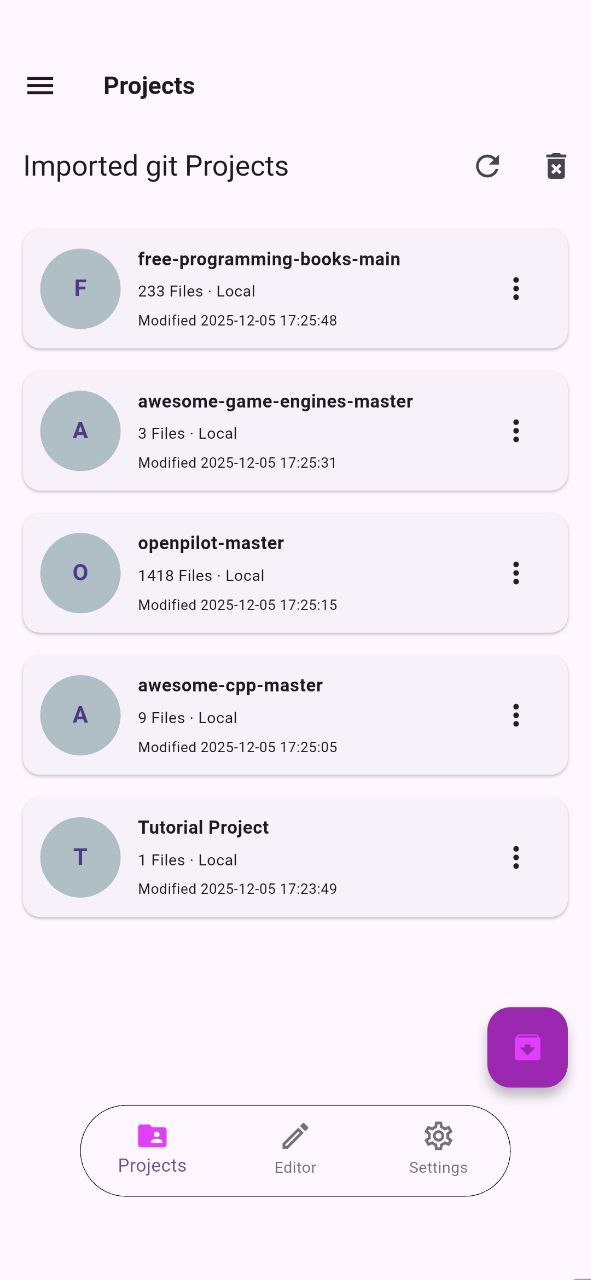
To start using RZR, you just need to import a repository. RZR provides two ways to do this:
- use the built-in Zip Manager to download a repository directly from GitHub, GitLab or Bitbucket
- import a
.ziparchive that you already have on your device (for example a GitHub “Download ZIP” file)
Imported repositories appear in the home screen, where you can open, rename or delete them.
1.3 Opening a Repository
Tap on an imported project to open it. RZR shows the full folder/file tree of the repository, so you can navigate through directories just like a file explorer.
add image inside a repository
Tap any file to open it in the code editor, or tap a markdown file to preview it rendered.
1.4 Browsing Files
RZR reads files directly from the extracted archive. The file tree shows all the directories and files of the repository, and large projects are supported thanks to a progress indicator shown during extraction.
Search is available both across file names and inside file contents, so you can quickly find what you are looking for.